Back to Blog العودة للمدونة

Article مقال

How to Build Your First Interactive WhatsApp Menu for Customers, Step-by-Step كيف تبني أول قائمة ردود تفاعلية (قائمة رقمية) لعملائك على واتساب خطوة بخطوة

August 06, 2026
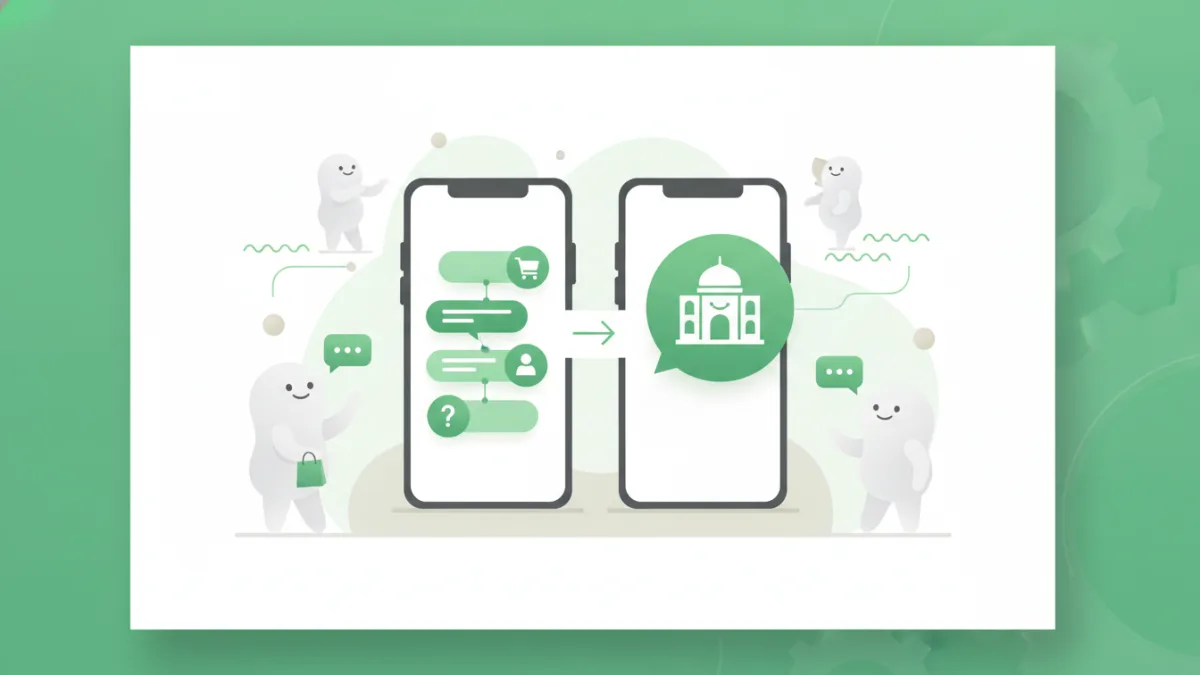
How to Build Your First Interactive WhatsApp Menu for Customers, Step-by-Step

Learn to create an interactive WhatsApp menu bot for your business. Guide customers effortlessly with numbered options for services, FAQs, and more. تعلم كيفية إنشاء قائمة واتساب تفاعلية لعملائك خطوة بخطوة. وجه عملاءك بسهولة من خلال خيارات مرقمة لخدماتك والأسئلة الشائعة.

Introduction

In today's fast-paced digital world, customers expect instant answers and seamless interactions. For businesses in Saudi Arabia and across the Gulf, WhatsApp has become the primary communication channel. Imagine a system where your customers can get immediate responses to their queries, browse your services, or even place an order, all by simply typing a number. This is the power of an interactive whatsapp menu bot. This guide will walk you through building your first whatsapp menu bot, transforming your customer service from reactive to proactive.

What is an Interactive WhatsApp Menu?

An interactive WhatsApp menu, also known as a digital menu or a whatsapp menu bot, is an automated system that presents customers with a list of numbered options when they initiate a conversation. Customers can then select their desired option by simply replying with the corresponding number (reply by number). This triggers a predefined response, leading them to further sub-menus, information, or connecting them to a live agent. It’s like having a virtual assistant available 24/7.

Why Your Business Needs a WhatsApp Interactive Menu

Implementing a whatsapp menu bot offers numerous benefits for businesses aiming to enhance their customer communication and operational efficiency:

  • 24/7 Availability: Your business can serve customers around the clock, even outside working hours, by providing instant answers to common questions.
  • Improved Customer Experience: Customers get quick, relevant information without waiting, leading to higher satisfaction.
  • Reduced Workload for Staff: By automating answers to frequently asked questions (FAQs) and routine inquiries, your team can focus on more complex issues.
  • Efficient Information Delivery: Guide customers directly to the information they need, whether it's product details, service prices, or booking appointments.
  • Scalability: Easily handle a high volume of inquiries simultaneously without additional staff.

Step-by-Step Guide to Building Your First Interactive WhatsApp Menu

Building your first whatsapp menu bot is straightforward when approached systematically. Here’s how you can create an effective قائمة واتساب تفاعلية:

Step 1: Define Your Goals and Key Services

Before you start, identify what you want your menu to achieve. Do you want to answer FAQs, facilitate bookings, provide product information, or offer support? List your core services and the most common customer inquiries.

Example for a Saudi restaurant: Goals might include taking orders, providing menu details, making reservations, and sharing location/hours.

Step 2: Map Out Your Menu Structure

Think of your menu as a tree. Start with a main menu and then branch out into sub-menus. Keep the main menu concise, ideally 3-5 options, to avoid overwhelming the user.

  • Main Menu: "Welcome to [Your Business Name]! How can we help you today?
    1. View Services
    2. FAQs
    3. Contact Support
    4. Our Location/Hours
    Please reply by number."
  • Sub-Menu (e.g., "View Services"):
    1. [Service A]
    2. [Service B]
    3. [Service C]
    4. Back to Main Menu
    Please reply by number."

Step 3: Write Clear and Concise Responses

Each option should lead to a clear, helpful response. Use simple language and avoid jargon. If an option leads to a sub-menu, ensure the prompt is clear.

Example: If a customer selects "1" for "View Services" for a beauty salon, the response could be: "Great! Which service are you interested in?

  1. Hair Services
  2. Nail Care
  3. Facials & Skincare
  4. Book an Appointment
  5. Back to Main Menu
Please reply by number."

Step 4: Implement "Reply by Number" Logic (Building the WhatsApp Bot)

This is where you bring your menu to life using a platform like Atheer. You'll set up rules where a specific numerical input triggers a specific response or action. This forms the core of your building a WhatsApp bot.

  • Keyword Triggers: When a customer sends "Hi" or "Hello," the main menu is sent.
  • Number Mapping: Assign each menu option a number. When the customer replies with "1", "2", etc., the bot sends the corresponding message or sub-menu.
  • Conditional Logic: For more advanced bots, you can set up conditions (e.g., if a customer chooses "Order Food," then ask for their location).

Step 5: Test and Refine

Before launching, thoroughly test your entire menu flow. Put yourself in your customer's shoes.

  • Are the options clear?
  • Do all paths lead to a logical conclusion?
  • What happens if a user types something not on the menu? (Ensure a fallback message).
  • Collect feedback and iterate. Your قائمة واتساب تفاعلية should evolve with your customer needs.

Practical Examples for Saudi/Gulf Businesses

Let's look at how various businesses in the region can leverage an قائمة واتساب تفاعلية:

  • Restaurants/Cafes (e.g., a popular Mandi restaurant in Riyadh):
    • Main Menu: 1. View Menu, 2. Place Order, 3. Make Reservation, 4. Location & Hours.
    • "Place Order" Sub-Menu: 1. Dine-in, 2. Takeaway, 3. Delivery. (Delivery could then ask for address).
    • This streamlines ordering and reduces phone calls during peak hours.
  • E-commerce Stores (e.g., an online abaya store in Jeddah):
    • Main Menu: 1. Track Order, 2. Browse New Arrivals, 3. Returns & Exchanges, 4. Customer Support.
    • "Track Order" could ask for order number and provide status updates automatically.
    • This automates common post-purchase inquiries, freeing up support staff.
  • Service Providers (e.g., a car detailing service in Dammam):
    • Main Menu: 1. Our Services, 2. Book Appointment, 3. Pricing, 4. FAQs.
    • "Book Appointment" could lead to selecting service type, preferred date/time, and then confirming via a link or agent.
    • This simplifies the booking process and provides instant information.

Best Practices for Your WhatsApp Menu

  • Keep it Simple: Don't overload customers with too many options at once.
  • Clear Call-to-Actions: Always tell the user what to do next (e.g., "reply by number").
  • Provide an Escape Route: Always include an option to "Speak to an Agent" or "Back to Main Menu".
  • Regular Updates: As your business evolves, so should your menu. Keep it fresh and relevant.

FAQ Section

How complex can my WhatsApp menu be?

While it's best to keep initial menus simple, platforms like Atheer allow for highly complex, multi-level menus with intricate conditional logic. You can build extensive trees of options to cover a wide range of inquiries.

Can I integrate my WhatsApp menu bot with other systems?

Absolutely! Advanced building a WhatsApp bot platforms often allow integration with CRM systems, e-commerce platforms, booking systems, and more. This enables seamless data flow and a unified customer experience.

What happens if a customer doesn't choose an option or types something else?

It's crucial to set up a fallback message. This message politely informs the user that their input wasn't understood and directs them back to the menu or offers to connect them with a human agent.

Ready to transform your customer interactions? Try Atheer today and start building a WhatsApp bot that truly serves your customers.

المقدمة

في عالمنا الرقمي سريع الخطى، يتوقع العملاء إجابات فورية وتفاعلات سلسة. بالنسبة للشركات في المملكة العربية السعودية وعبر الخليج، أصبح واتساب قناة الاتصال الأساسية. تخيل نظامًا يمكن لعملائك من خلاله الحصول على ردود فورية على استفساراتهم، تصفح خدماتك، أو حتى تقديم طلب، كل ذلك بمجرد كتابة رقم. هذه هي قوة قائمة واتساب تفاعلية. سيرشدك هذا الدليل خطوة بخطوة كيف تبني أول قائمة ردود تفاعلية (قائمة رقمية) لعملائك على واتساب، محولًا خدمة العملاء لديك من رد فعل إلى استباقية.

ما هي قائمة واتساب التفاعلية؟

قائمة واتساب تفاعلية، والمعروفة أيضًا بالقائمة الرقمية أو whatsapp menu bot، هي نظام آلي يقدم للعملاء قائمة بخيارات مرقمة عندما يبدأون محادثة. يمكن للعملاء بعد ذلك تحديد خيارهم المطلوب ببساطة عن طريق الرد بالرقم المقابل (الرد برقم). يؤدي هذا إلى استجابة محددة مسبقًا، تقودهم إلى قوائم فرعية إضافية، معلومات، أو تربطهم بموظف دعم مباشر. إنها مثل وجود مساعد افتراضي متاح على مدار الساعة طوال أيام الأسبوع.

لماذا تحتاج شركتك إلى قائمة واتساب تفاعلية؟

يوفر تطبيق whatsapp menu bot العديد من الفوائد للشركات التي تهدف إلى تعزيز تواصلها مع العملاء وكفاءتها التشغيلية:

  • التوفر على مدار الساعة طوال أيام الأسبوع: يمكن لشركتك خدمة العملاء على مدار الساعة، حتى خارج ساعات العمل، من خلال تقديم إجابات فورية للأسئلة الشائعة.
  • تحسين تجربة العملاء: يحصل العملاء على معلومات سريعة وذات صلة دون انتظار، مما يؤدي إلى رضا أعلى.
  • تقليل عبء العمل على الموظفين: من خلال أتمتة الإجابات على الأسئلة المتكررة والاستفسارات الروتينية، يمكن لفريقك التركيز على المشكلات الأكثر تعقيدًا.
  • توصيل المعلومات بكفاءة: وجه العملاء مباشرة إلى المعلومات التي يحتاجونها، سواء كانت تفاصيل المنتج، أسعار الخدمات، أو حجز المواعيد.
  • قابلية التوسع: التعامل بسهولة مع حجم كبير من الاستفسارات في وقت واحد دون الحاجة إلى موظفين إضافيين.

دليل خطوة بخطوة لبناء أول قائمة واتساب تفاعلية

إن بناء بوت واتساب تفاعلي سهل عندما يتم التعامل معه بشكل منهجي. إليك كيفية إنشاء قائمة واتساب تفاعلية فعالة:

الخطوة 1: حدد أهدافك وخدماتك الرئيسية

قبل البدء، حدد ما تريد أن تحققه قائمتك. هل ترغب في الإجابة على الأسئلة الشائعة، تسهيل الحجوزات، توفير معلومات المنتج، أو تقديم الدعم؟ قم بإدراج خدماتك الأساسية والاستفسارات الأكثر شيوعًا للعملاء.

مثال لمطعم سعودي: قد تتضمن الأهداف أخذ الطلبات، توفير تفاصيل القائمة (المنيو)، إجراء الحجوزات، ومشاركة الموقع وساعات العمل.

الخطوة 2: ارسم هيكل قائمتك

فكر في قائمتك كشجرة. ابدأ بقائمة رئيسية ثم تفرع إلى قوائم فرعية. اجعل القائمة الرئيسية موجزة، ويفضل أن تكون 3-5 خيارات، لتجنب إرباك المستخدم.

  • القائمة الرئيسية: "أهلاً بك في [اسم عملك]! كيف يمكننا مساعدتك اليوم؟
    1. عرض الخدمات
    2. الأسئلة الشائعة
    3. التواصل مع الدعم
    4. موقعنا وساعات العمل
    الرجاء الرد برقم."
  • قائمة فرعية (مثلاً، "عرض الخدمات"):
    1. [الخدمة أ]
    2. [الخدمة ب]
    3. [الخدمة ج]
    4. العودة للقائمة الرئيسية
    الرجاء الرد برقم."

الخطوة 3: اكتب ردودًا واضحة وموجزة

يجب أن يؤدي كل خيار إلى استجابة واضحة ومفيدة. استخدم لغة بسيطة وتجنب المصطلحات المعقدة. إذا كان الخيار يؤدي إلى قائمة فرعية، فتأكد من أن المطالبة واضحة.

مثال: إذا اختار العميل "1" لـ "عرض الخدمات" لصالون تجميل، يمكن أن تكون الاستجابة: "رائع! ما هي الخدمة التي تهتم بها؟

  1. خدمات الشعر
  2. العناية بالأظافر
  3. العناية بالبشرة والوجه
  4. حجز موعد
  5. العودة للقائمة الرئيسية
الرجاء الرد برقم."

الخطوة 4: تطبيق منطق "الرد برقم" (بناء بوت واتساب)

هنا يمكنك إحياء قائمتك باستخدام منصة مثل أثير. ستقوم بإعداد قواعد حيث يؤدي إدخال رقم معين إلى استجابة أو إجراء معين. هذا يشكل جوهر بناء بوت واتساب الخاص بك.

  • مشغلات الكلمات المفتاحية: عندما يرسل العميل "مرحباً" أو "السلام عليكم"، يتم إرسال القائمة الرئيسية.
  • ربط الأرقام: خصص لكل خيار في القائمة رقمًا. عندما يرد العميل بـ "1" أو "2" وما إلى ذلك، يرسل البوت الرسالة أو القائمة الفرعية المقابلة.
  • المنطق الشرطي: بالنسبة للبوتات الأكثر تقدمًا، يمكنك إعداد شروط (على سبيل المثال، إذا اختار العميل "طلب طعام"، فسيُطلب منه موقعهم).

الخطوة 5: الاختبار والتحسين

قبل الإطلاق، اختبر تدفق قائمتك بالكامل بدقة. ضع نفسك مكان عميلك.

  • هل الخيارات واضحة؟
  • هل تؤدي جميع المسارات إلى استنتاج منطقي؟
  • ماذا يحدث إذا كتب المستخدم شيئًا ليس في القائمة؟ (تأكد من وجود رسالة احتياطية).
  • اجمع التعليقات وكرر العملية. يجب أن تتطور قائمة واتساب التفاعلية الخاصة بك مع احتياجات عملائك.

أمثلة عملية للشركات السعودية والخليجية

دعنا نلقي نظرة على كيفية استفادة الشركات المختلفة في المنطقة من قائمة واتساب تفاعلية:

  • المطاعم/المقاهي (مثلاً، مطعم مندي شهير في الرياض):
    • القائمة الرئيسية: 1. عرض المنيو، 2. طلب وجبة، 3. حجز طاولة، 4. الموقع وساعات العمل.
    • قائمة فرعية لـ "طلب وجبة": 1. تناول في المطعم، 2. سفري، 3. توصيل. (يمكن أن يطلب التوصيل بعد ذلك العنوان).
    • هذا يبسط عملية الطلب ويقلل من المكالمات الهاتفية خلال ساعات الذروة.
  • متاجر التجارة الإلكترونية (مثلاً، متجر عبايات إلكتروني في جدة):
    • القائمة الرئيسية: 1. تتبع الطلب، 2. تصفح أحدث المنتجات، 3. الإرجاع والاستبدال، 4. دعم العملاء.
    • "تتبع الطلب" يمكن أن يطلب رقم الطلب ويقدم تحديثات الحالة تلقائيًا.
    • هذا يؤتمت الاستفسارات الشائعة بعد الشراء، مما يحرر موظفي الدعم.
  • مقدمو الخدمات (مثلاً، خدمة تلميع سيارات في الدمام):
    • القائمة الرئيسية: 1. خدماتنا، 2. حجز موعد، 3. الأسعار، 4. الأسئلة الشائعة.
    • "حجز موعد" يمكن أن يؤدي إلى اختيار نوع الخدمة، التاريخ/الوقت المفضل، ثم التأكيد عبر رابط أو وكيل.
    • هذا يبسط عملية الحجز ويوفر معلومات فورية.

أفضل الممارسات لقائمة واتساب الخاصة بك

  • حافظ على البساطة: لا تفرط في تحميل العملاء بالكثير من الخيارات في وقت واحد.
  • عبارات واضحة للحث على اتخاذ إجراء: أخبر المستخدم دائمًا بما يجب عليه فعله بعد ذلك (على سبيل المثال، "الرد برقم").
  • وفر طريقًا للهروب: قم دائمًا بتضمين خيار "التحدث مع موظف" أو "العودة للقائمة الرئيسية".
  • تحديثات منتظمة: مع تطور عملك، يجب أن تتطور قائمتك أيضًا. حافظ عليها حديثة وذات صلة.

الأسئلة الشائعة

ما مدى تعقيد قائمة واتساب الخاصة بي؟

بينما يُفضل أن تكون القوائم الأولية بسيطة، تتيح لك منصات مثل أثير إنشاء قوائم متعددة المستويات ومعقدة للغاية بمنطق شرطي متطور. يمكنك بناء أشجار واسعة من الخيارات لتغطية مجموعة واسعة من الاستفسارات.

هل يمكنني دمج بوت قائمة واتساب الخاص بي مع أنظمة أخرى؟

بالتأكيد! غالبًا ما تسمح منصات بناء بوت واتساب المتقدمة بالاندماج مع أنظمة إدارة علاقات العملاء (CRM)، ومنصات التجارة الإلكترونية، وأنظمة الحجز، والمزيد. هذا يتيح تدفق البيانات بسلاسة وتجربة عملاء موحدة.

ماذا يحدث إذا لم يختر العميل خيارًا أو كتب شيئًا آخر؟

من الأهمية بمكان إعداد رسالة احتياطية. تخبر هذه الرسالة المستخدم بلباقة أن إدخاله لم يُفهم وتوجهه مرة أخرى إلى القائمة أو تعرض عليه التواصل مع وكيل بشري.

هل أنت مستعد لتحويل تفاعلات عملائك؟ جرب أثير اليوم وابدأ بناء بوت واتساب يخدم عملاءك حقًا.

More Articles مقالات أخرى