Article مقال
How to Set Up Your WhatsApp Bot in 30 Minutes كيف تنشئ روبوت واتساب الخاص بك في 30 دقيقة
May 30, 2026
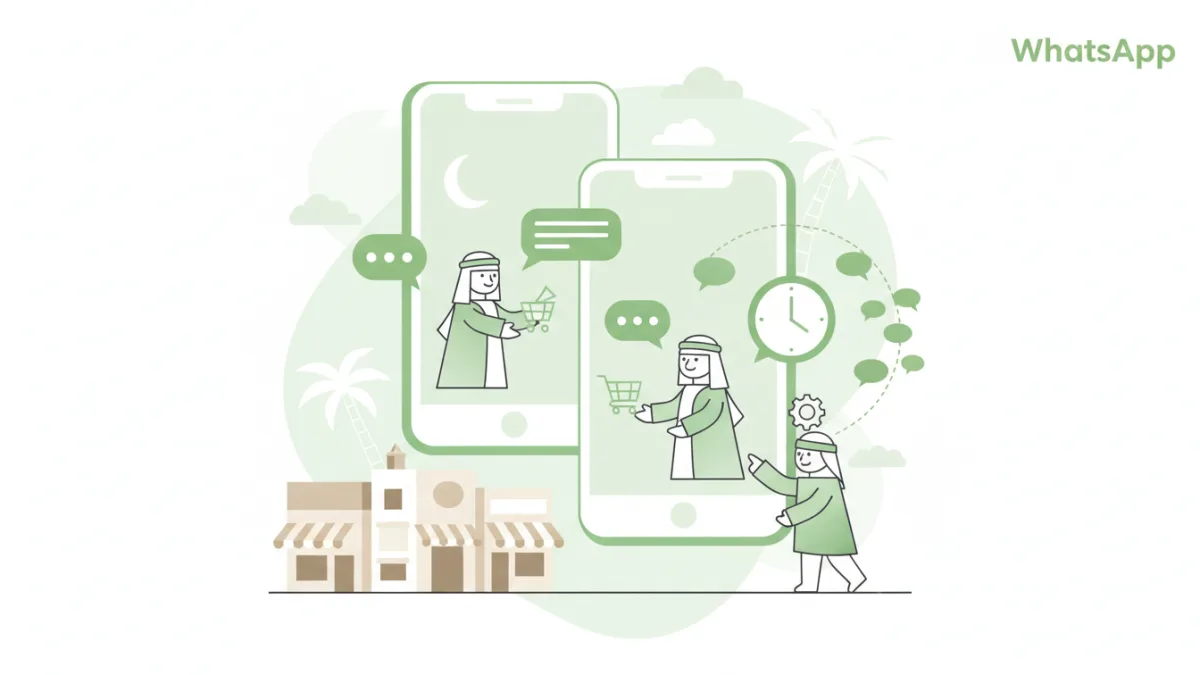
Learn how to quickly set up your WhatsApp bot with Atheer in just 30 minutes. Automate customer service, boost efficiency, and enhance engagement for your Saudi business. تعلم كيف تنشئ روبوت واتساب الخاص بك بسرعة مع أثير في 30 دقيقة فقط. أتمتة خدمة العملاء، تعزيز الكفاءة، وتحسين التفاعل لعملك السعودي.
In the bustling digital landscape of Saudi Arabia, WhatsApp isn't just a messaging app; it's a primary channel for communication, business, and daily life. With millions of users relying on it for everything from family chats to business inquiries, integrating WhatsApp into your customer service strategy is no longer an option – it's a necessity. But what if you could not only be present on WhatsApp but also automate a significant portion of your customer interactions, provide instant support, and scale your operations without hiring more staff? This is where a WhatsApp bot comes in, and with Atheer, you can set one up in as little as 30 minutes.
Imagine a customer in Riyadh needing an immediate answer about a product, or a tourist planning their Umrah trip asking about visa requirements late at night. A WhatsApp bot ensures they get instant, accurate responses, 24/7. This guide will walk you through setting up your first WhatsApp bot with Atheer, transforming your customer engagement in under half an hour.
What You'll Need Before You Start
Before diving into the setup, ensure you have these essentials:
- An Atheer Account: If you don't have one, signing up is quick and easy.
- WhatsApp Business API Access: Atheer simplifies this process by guiding you through the necessary steps to connect your WhatsApp Business API account via Facebook Business Manager. This is crucial for official, scalable WhatsApp automation.
Don't worry if the API sounds complex; Atheer's platform is designed to make it accessible for everyone, no coding required.
Your 30-Minute WhatsApp Bot Setup Guide
Follow these straightforward steps to get your WhatsApp bot up and running in no time.
Step 1: Sign Up or Log In to Your Atheer Account
Your journey begins at the Atheer dashboard. If you're new, create an account. If you're an existing user, simply log in. The Atheer interface is designed for intuitive navigation, ensuring you find what you need quickly.
Step 2: Connect Your WhatsApp Business API Account
This is the backbone of your WhatsApp automation.
- Navigate to the "Integrations" or "Channels" section within your Atheer dashboard.
- Select "WhatsApp Business API."
- Follow the on-screen prompts to connect your Facebook Business Manager account. This involves verifying your business and phone number with WhatsApp. Atheer provides clear instructions and support to expedite this verification process.
Once connected, your business number is ready to receive and send automated messages.
Step 3: Define Your Bot's Core Purpose and Flows
Before building, decide what your bot should achieve. What are the most common questions or tasks your customers in Saudi Arabia and the Gulf region ask?
- For an E-commerce Store: An online store selling Abayas or Thobes might want a bot to answer FAQs about sizing, delivery times to Jeddah or Dammam, or return policies.
- For a Restaurant: A popular Mandi restaurant in Riyadh could use a bot to take reservations, provide menu details, or confirm delivery orders.
- For a Real Estate Agency: An agency in Khobar could automate responses to property inquiries, showing available villas or apartments and connecting serious leads to agents.
- For Hajj/Umrah Services: A travel agency can automate responses to common questions about packages, visa requirements, or booking procedures.
Identify 3-5 key interactions you want to automate first. Start small and expand.
Step 4: Create Your Welcome Message and Main Menu
This is the first impression your bot makes.
- Go to the "Bot Builder" or "Flows" section in Atheer.
- Set up an automatic welcome message for new conversations. Make it friendly and informative.
- Example: "👋 مرحباً بك في [اسم عملك]! كيف يمكنني مساعدتك اليوم؟
Hello! Welcome to [Your Business Name]. How can I help you today?
1. تصفح المنتجات / الخدمات (Browse Products/Services)
2. تتبع طلبي (Track My Order)
3. تحدث مع مندوب (Speak to an Agent)
4. مواقع الفروع (Store Locations)"
- Example: "👋 مرحباً بك في [اسم عملك]! كيف يمكنني مساعدتك اليوم؟
- Map out simple conversational flows based on the menu options. For instance, if a user types "1", the bot can present product categories.
Step 5: Add Keywords and Automated Responses
This is where your bot gets smart.
- Identify common keywords your customers might use (e.g., "price", "delivery", "hours", "contact", "شحن", "أسعار", "دوام").
- For each keyword, create an automated response or trigger a specific flow.
- Example: If a customer types "delivery" or "شحن", the bot can ask for an order number and provide tracking information.
- Example: If a customer types "menu" or "قائمة الطعام", the bot can share a link to your online menu or a PDF.
Atheer's intuitive interface allows you to drag and drop elements, making it easy to build complex interactions without code.
Step 6: Test Your Bot Extensively
Before going live, test every possible scenario.
- Send messages to your WhatsApp Business number as if you were a customer.
- Test all menu options, common keywords, and even unexpected queries.
- Ensure the bot provides correct information and seamless transitions between topics.
- Check for both English and Arabic responses if your bot is bilingual.
This step is crucial for a smooth customer experience.
Step 7: Go Live and Monitor Performance
Once you're confident, activate your bot!
- Monitor incoming conversations and bot performance. Atheer provides analytics to help you understand what's working and where improvements can be made.
- Continuously refine your bot's flows and responses based on real customer interactions. Add new FAQs or adjust existing ones as needed.
Why a WhatsApp Bot is a Game-Changer for Saudi Businesses
Implementing a WhatsApp bot with Atheer offers unparalleled advantages for businesses operating in Saudi Arabia and the wider Gulf region:
- 24/7 Availability: Cater to customers across different time zones or those who prefer to interact outside standard business hours, a huge plus during peak seasons like Ramadan or Eid.
- Instant Responses: Eliminate wait times, boosting customer satisfaction and reducing cart abandonment for e-commerce.
- Multilingual Support: Easily offer support in both Arabic and English, catering to the diverse population of the region.
- Scalability: Handle a massive influx of inquiries during sales events, Hajj/Umrah seasons, or new product launches without increasing headcount.
- Cost Efficiency: Reduce the burden on your human customer service team, allowing them to focus on complex issues.
- Personalized Engagement: Collect data and personalize interactions over time, building stronger customer relationships.
Frequently Asked Questions
Do I need coding skills to build a WhatsApp bot with Atheer?
Absolutely not! Atheer is designed as a no-code platform, allowing anyone to build sophisticated WhatsApp bots using intuitive drag-and-drop interfaces and pre-built templates, regardless of their technical background.
Can I integrate my WhatsApp bot with existing CRM or other business tools?
Yes, Atheer offers robust integration capabilities. You can connect your WhatsApp bot with popular CRM systems (like Salesforce or Zoho CRM), e-commerce platforms (like Shopify), and other business tools to streamline data flow and enhance automation. This allows for a unified view of customer interactions.
How secure is my customer data when using a WhatsApp bot?
Security is a top priority. Atheer adheres to strict data privacy and security protocols, and all communications via the WhatsApp Business API are end-to-end encrypted by WhatsApp. Your customer data is handled with the utmost care and in compliance with international and local regulations.
Ready to transform your customer communication and unlock the full potential of WhatsApp for your business? Try Atheer today!
في المشهد الرقمي الصاخب بالمملكة العربية السعودية، لا يقتصر واتساب على كونه مجرد تطبيق للمراسلة؛ بل هو قناة أساسية للتواصل والأعمال والحياة اليومية. ومع اعتماد ملايين المستخدمين عليه في كل شيء، من المحادثات العائلية إلى استفسارات الأعمال، لم يعد دمج واتساب في استراتيجية خدمة العملاء لديك خياراً – بل ضرورة. ولكن ماذا لو كان بإمكانك ليس فقط التواجد على واتساب، بل أيضاً أتمتة جزء كبير من تفاعلاتك مع العملاء، وتقديم دعم فوري، وتوسيع نطاق عملياتك دون الحاجة لتوظيف المزيد من الموظفين؟ هنا يأتي دور روبوت واتساب، ومع أثير، يمكنك إعداد واحد في أقل من 30 دقيقة.
تخيل عميلاً في الرياض يحتاج إلى إجابة فورية حول منتج ما، أو سائحاً يخطط لرحلة عمرة يسأل عن متطلبات التأشيرة في وقت متأخر من الليل. يضمن روبوت واتساب حصولهم على ردود فورية ودقيقة، على مدار الساعة طوال أيام الأسبوع. سيرشدك هذا الدليل خلال إعداد أول روبوت واتساب لك مع أثير، مما سيحدث تحولاً في تفاعل عملائك في أقل من نصف ساعة.
ما ستحتاجه قبل البدء
قبل الغوص في عملية الإعداد، تأكد من توفر هذه الأساسيات:
- حساب أثير: إذا لم يكن لديك حساب، فإن التسجيل سريع وسهل.
- وصول إلى واجهة برمجة تطبيقات واتساب للأعمال (WhatsApp Business API): يبسط أثير هذه العملية من خلال إرشادك عبر الخطوات الضرورية لربط حساب واجهة برمجة تطبيقات واتساب للأعمال الخاص بك عبر مدير أعمال فيسبوك. هذا أمر حاسم لأتمتة واتساب الرسمية والقابلة للتطوير.
لا تقلق إذا بدت واجهة برمجة التطبيقات معقدة؛ فقد تم تصميم منصة أثير لتجعلها في متناول الجميع، ولا تتطلب أي برمجة.
دليلك لإنشاء روبوت واتساب في 30 دقيقة
اتبع هذه الخطوات البسيطة لجعل روبوت واتساب الخاص بك جاهزاً للعمل في وقت قصير.
الخطوة 1: سجل الدخول أو أنشئ حساباً في أثير
تبدأ رحلتك من لوحة تحكم أثير. إذا كنت جديداً، أنشئ حساباً. إذا كنت مستخدماً حالياً، فما عليك سوى تسجيل الدخول. تم تصميم واجهة أثير للتنقل البديهي، مما يضمن العثور على ما تحتاجه بسرعة.
الخطوة 2: اربط حساب واجهة برمجة تطبيقات واتساب للأعمال الخاص بك
هذا هو العمود الفقري لأتمتة واتساب الخاصة بك.
- انتقل إلى قسم "التكاملات" أو "القنوات" داخل لوحة تحكم أثير.
- اختر "واجهة برمجة تطبيقات واتساب للأعمال".
- اتبع التعليمات التي تظهر على الشاشة لربط حساب مدير أعمال فيسبوك الخاص بك. يتضمن ذلك التحقق من عملك ورقم هاتفك لدى واتساب. يوفر أثير إرشادات واضحة ودعماً لتسريع عملية التحقق هذه.
بمجرد الاتصال، يكون رقم عملك جاهزاً لاستقبال وإرسال الرسائل الآلية.
الخطوة 3: حدد الغرض الأساسي وتدفقات الروبوت الخاص بك
قبل البناء، حدد ما يجب أن يحققه الروبوت الخاص بك. ما هي الأسئلة أو المهام الأكثر شيوعاً التي يطرحها عملاؤك في المملكة العربية السعودية ومنطقة الخليج؟
- لمتجر تجارة إلكترونية: قد يرغب متجر إلكتروني يبيع العبايات أو الأثواب في روبوت للإجابة عن الأسئلة الشائعة حول المقاسات، أوقات التوصيل إلى جدة أو الدمام، أو سياسات الإرجاع.
- لمطعم: يمكن لمطعم شعبي يقدم المندي في الرياض استخدام روبوت لأخذ الحجوزات، تقديم تفاصيل القائمة، أو تأكيد طلبات التوصيل.
- لوكالة عقارية: يمكن لوكالة في الخبر أتمتة الردود على استفسارات العقارات، وعرض الفلل أو الشقق المتاحة وربط العملاء الجادين بالوكلاء.
- لخدمات الحج والعمرة: يمكن لوكالة سفر أتمتة الردود على الأسئلة الشائعة حول الباقات، متطلبات التأشيرة، أو إجراءات الحجز.
حدد 3-5 تفاعلات رئيسية ترغب في أتمتتها أولاً. ابدأ صغيراً ثم قم بالتوسع.
الخطوة 4: أنشئ رسالة الترحيب والقائمة الرئيسية
هذا هو الانطباع الأول الذي يتركه روبوتك.
- اذهب إلى قسم "منشئ الروبوت" أو "التدفقات" في أثير.
- قم بإعداد رسالة ترحيب تلقائية للمحادثات الجديدة. اجعلها ودودة وغنية بالمعلومات.
- مثال: "👋 مرحباً بك في [اسم عملك]! كيف يمكنني مساعدتك اليوم؟
1. تصفح المنتجات / الخدمات
2. تتبع طلبي
3. تحدث مع مندوب
4. مواقع الفروع"
- مثال: "👋 مرحباً بك في [اسم عملك]! كيف يمكنني مساعدتك اليوم؟
- ارسم تدفقات محادثة بسيطة بناءً على خيارات القائمة. على سبيل المثال، إذا كتب المستخدم "1"، يمكن للروبوت عرض فئات المنتجات.
الخطوة 5: أضف الكلمات المفتاحية والاستجابات الآلية
هنا يصبح روبوتك ذكياً.
- حدد الكلمات المفتاحية الشائعة التي قد يستخدمها عملاؤك (مثل: "السعر"، "توصيل"، "ساعات العمل"، "تواصل"، "شحن"، "أسعار"، "دوام").
- لكل كلمة مفتاحية، أنشئ استجابة آلية أو قم بتشغيل تدفق محدد.
- مثال: إذا كتب العميل "توصيل" أو "شحن"، يمكن للروبوت طلب رقم الطلب وتقديم معلومات التتبع.
- مثال: إذا كتب العميل "قائمة الطعام" أو "منيو"، يمكن للروبوت مشاركة رابط إلى قائمتك عبر الإنترنت أو ملف PDF.
تسمح واجهة أثير البديهية لك بسحب وإفلات العناصر، مما يسهل بناء تفاعلات معقدة بدون الحاجة إلى برمجة.
الخطوة 6: اختبر روبوتك بشكل مكثف
قبل إطلاقه، اختبر كل سيناريو ممكن.
- أرسل رسائل إلى رقم واتساب للأعمال الخاص بك كما لو كنت عميلاً.
- اختبر جميع خيارات القائمة، والكلمات المفتاحية الشائعة، وحتى الاستفسارات غير المتوقعة.
- تأكد من أن الروبوت يقدم معلومات صحيحة وانتقالات سلسة بين المواضيع.
- تحقق من الردود باللغتين الإنجليزية والعربية إذا كان روبوتك ثنائي اللغة.
هذه الخطوة حاسمة لتجربة عملاء سلسة.
الخطوة 7: أطلق الروبوت وراقب الأداء
بمجرد أن تكون واثقاً، قم بتفعيل روبوتك!
- راقب المحادثات الواردة وأداء الروبوت. يوفر أثير تحليلات لمساعدتك على فهم ما ينجح وأين يمكن إجراء تحسينات.
- قم بتحسين تدفقات الروبوت واستجاباته باستمرار بناءً على تفاعلات العملاء الحقيقية. أضف أسئلة شائعة جديدة أو عدّل الموجودة حسب الحاجة.
لماذا يُعد روبوت واتساب نقلة نوعية للأعمال السعودية
يوفر تطبيق روبوت واتساب مع أثير مزايا لا مثيل لها للشركات العاملة في المملكة العربية السعودية ومنطقة الخليج الأوسع:
- التوفر على مدار الساعة طوال أيام الأسبوع: تلبية احتياجات العملاء عبر مناطق زمنية مختلفة أو أولئك الذين يفضلون التفاعل خارج ساعات العمل الرسمية، وهي ميزة كبيرة خلال مواسم الذروة مثل رمضان أو الأعياد.
- ردود فورية: القضاء على أوقات الانتظار، مما يعزز رضا العملاء ويقلل من التخلي عن سلة التسوق للتجارة الإلكترونية.
- دعم متعدد اللغات: تقديم دعم سهل باللغتين العربية والإنجليزية، لتلبية احتياجات السكان المتنوعين في المنطقة.
- قابلية التوسع: التعامل مع تدفق هائل من الاستفسارات خلال فعاليات المبيعات، مواسم الحج/العمرة، أو إطلاق المنتجات الجديدة دون زيادة عدد الموظفين.
- كفاءة التكلفة: تقليل العبء على فريق خدمة العملاء البشري، مما يسمح لهم بالتركيز على القضايا المعقدة.
- تفاعل شخصي: جمع البيانات وتخصيص التفاعلات بمرور الوقت، وبناء علاقات أقوى مع العملاء.
الأسئلة الشائعة
هل أحتاج إلى مهارات برمجية لإنشاء روبوت واتساب باستخدام أثير؟
بالتأكيد لا! تم تصميم أثير كمنصة لا تتطلب أي برمجة، مما يسمح لأي شخص بإنشاء روبوتات واتساب متطورة باستخدام واجهات سهلة الاستخدام تعتمد على السحب والإفلات والقوالب الجاهزة، بغض النظر عن خلفيتهم التقنية.
هل يمكنني دمج روبوت واتساب الخاص بي مع أنظمة إدارة علاقات العملاء (CRM) أو أدوات الأعمال الأخرى الموجودة لدي؟
نعم، يوفر أثير قدرات تكامل قوية. يمكنك ربط روبوت واتساب الخاص بك بأنظمة CRM الشهيرة (مثل Salesforce أو Zoho CRM)، ومنصات التجارة الإلكترونية (مثل Shopify)، وأدوات الأعمال الأخرى لتبسيط تدفق البيانات وتعزيز الأتمتة. يتيح ذلك رؤية موحدة لتفاعلات العملاء.
ما مدى أمان بيانات عملائي عند استخدام روبوت واتساب؟
الأمان هو أولوية قصوى. يلتزم أثير ببروتوكولات صارمة لخصوصية البيانات وأمنها، وجميع الاتصالات عبر واجهة برمجة تطبيقات واتساب للأعمال مشفرة من طرف إلى طرف بواسطة واتساب. يتم التعامل مع بيانات عملائك بأقصى دراية وامتثالاً للوائح الدولية والمحلية.
هل أنت مستعد لتحويل تواصلك مع العملاء وإطلاق العنان للإمكانات الكاملة لواتساب لعملك؟ جرب أثير اليوم!