Back to Blog العودة للمدونة

Article مقال

Automatic WhatsApp Appointment Reminders: Reduce No-Shows in Your Clinic or Salon تذكير المواعيد التلقائي عبر واتساب: قلل نسبة الغياب في عيادتك أو صالونك

August 02, 2026
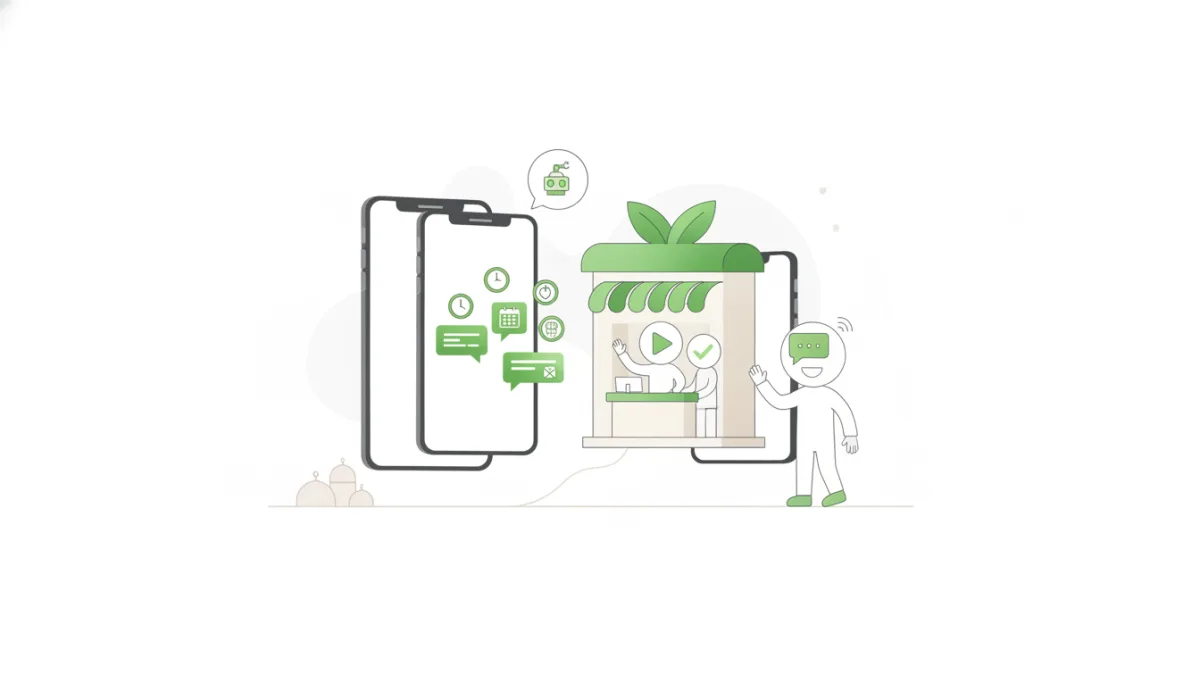
Automatic WhatsApp Appointment Reminders: Reduce No-Shows in Your Clinic or Salon

Discover how automatic WhatsApp appointment reminders can significantly reduce client no-shows in your clinic or salon, improving efficiency and customer experience. اكتشف كيف يمكن لتذكير المواعيد التلقائي عبر واتساب أن يقلل من غياب العملاء في عيادتك أو صالونك، ويحسن كفاءة العمل وتجربة العملاء.

Say Goodbye to Missed Appointments: Automate Reminders via WhatsApp

In today's competitive business landscape, where time is a precious commodity, many businesses relying on appointments – such as medical clinics, beauty centers, barber shops, and service providers – face a significant challenge: client no-shows. This issue not only leads to lost revenue but also wastes staff time and negatively impacts operational efficiency. Imagine your clinic losing 10% of its daily appointments due to patient no-shows, or your salon facing empty chairs that could have been filled. The solution lies in a powerful and reliable strategy: automatic WhatsApp appointment reminders.

In the Saudi and wider Gulf market, where WhatsApp is the most widely used communication app, leveraging it for automated appointments is a smart and profitable move. This approach ensures reminder messages reach your clients directly, significantly reducing the likelihood of forgetfulness and contributing to a substantial reduction in no-shows.

Why Do Clients Miss Appointments?

To effectively solve the problem, it's crucial to understand its root causes. Common reasons for clients missing their appointments include:

  • Forgetfulness: Clients simply forget their appointments due to their busy daily schedules.
  • Conflicting Appointments: A client might have booked other engagements or commitments that coincide with their scheduled appointment with you.
  • Ineffective Reminder Systems: Relying on manual reminders or email notifications that might not be opened regularly.
  • Difficulty in Rescheduling or Cancelling: Clients may not find a convenient or easy way to inform you if they cannot make it.

These reasons highlight that the problem isn't always a lack of desire to attend, but rather a breakdown in effective communication and reminders. This is where WhatsApp appointment reminders step in as an ideal solution.

The Power of WhatsApp for Appointment Reminders in the Saudi Market

WhatsApp plays a pivotal role in the Saudi and Gulf communication landscape. Here’s why it's the perfect tool for appointment reminders:

  • Exceptionally High Open Rates: Compared to traditional email or SMS, WhatsApp messages boast significantly higher open rates, ensuring your message is not only delivered but also read.
  • Personal and Direct Communication: Clients perceive WhatsApp messages as personal and direct, increasing the likelihood of engagement.
  • Rich Media Capabilities: You can include links to your location on Google Maps, add the appointment directly to the client's calendar, or even send short explanatory videos.
  • Two-Way Interaction: WhatsApp allows clients to easily reply to confirm, request a reschedule, or even cancel their appointment, providing you with valuable real-time information and helping you manage your schedule efficiently.

Key Benefits of Automating Appointment Reminders via WhatsApp

Integrating automated appointments through WhatsApp brings a wide range of benefits to your business:

  • Significant Reduction in No-Shows: This is the most prominent and impactful benefit. By reminding clients of their appointments at the right time and through their preferred channel, you can reduce no-shows by up to 70%, turning lost appointments into realized revenue.
  • Improved Operational Efficiency: Instead of staff spending hours making manual reminder calls, they can focus on more critical tasks, increasing team productivity and reducing operational burdens.
  • Enhanced Customer Experience and Satisfaction: Clients appreciate reminders that help them organize their time and avoid missing appointments. This fosters loyalty and makes their experience with your business smoother and more convenient.
  • Optimized Schedule Management: When a client confirms or requests a reschedule, you can quickly update your calendar. If a client cancels, it gives you the flexibility to fill the vacant slot, minimizing wasted time slots.
  • Cost Savings: Reducing no-shows directly translates to increased revenue. Furthermore, saving staff time means reducing operational costs associated with manual effort.

How to Effectively Implement Automatic WhatsApp Appointment Reminders

To maximize the benefits of WhatsApp appointment reminders, follow these practical steps:

  1. Integrate with Your Booking System: Your automated appointments system should integrate seamlessly with your existing booking platform (whether it's a CRM, clinic management system, or another booking solution) to ensure automatic data synchronization.
  2. Craft Clear and Concise Messages: Reminder messages should be clear, easy to read, and contain all essential information. Avoid lengthy texts.
  3. Determine Optimal Sending Times: Generally, the best times are 24 hours before the appointment, followed by a second reminder two or three hours prior. Experiment with different timings to find what works best for your audience.
  4. Include Essential Information: The message should include: date, time, service/doctor's name, location (with a Google Maps link if possible), and a contact number for inquiries.
  5. Enable Interaction: Encourage clients to reply to confirm attendance, request rescheduling, or cancel. This can be done via quick reply options (e.g., "Reply '1' to confirm, '2' to reschedule").

Practical Examples for WhatsApp Appointment Reminders in Saudi Arabia

Let's look at some concrete examples that can be applied to businesses in the Kingdom:

  • For a Dental Clinic:

    Hello [Patient Name], a reminder for your appointment with Dr. Khalid at Al-Ibtisam Dental Clinic tomorrow, Wednesday, May 15th at 3:00 PM. Please reply '1' to confirm or '2' to reschedule. We look forward to seeing you!

  • For a High-End Beauty Salon:

    Dear [Client Name], a reminder for your hair styling appointment at Al-Jawhara Salon today, at 10:00 AM. Location: [Google Maps Link]. For best service, please arrive 10 minutes prior. We eagerly await your visit!

  • For a Car Service Center:

    Mr./Ms. [Client Name], a reminder for your car service appointment (Car Type and Plate Number) at Al-Fahad Auto Center on May 20th, at 9:00 AM. Please arrive 15 minutes early for check-in procedures. For location: [Google Maps Link]. Thank you.

Beyond Reminders: Strengthening Customer Relationships

WhatsApp automation isn't just for appointment reminders. You can use this channel to continuously strengthen your customer relationships. After an appointment, you can send simple follow-up messages requesting feedback, offering special promotions for the next visit, or even sending celebratory messages on special occasions. These small touches contribute to building lasting brand loyalty.

Frequently Asked Questions About WhatsApp Appointment Reminders

Is WhatsApp secure for appointment reminders?

Yes, WhatsApp provides end-to-end encryption for messages, making it secure and reliable for sending personal appointment-related information. Additionally, using the WhatsApp Business API offers an extra layer of security and reliability for businesses.

Can clients reschedule or cancel their appointments via WhatsApp?

Absolutely! One of the key advantages of WhatsApp appointment reminders is the possibility of two-way interaction. Integrated systems can allow clients to reply with specific keywords (like "cancel" or "reschedule") for their request to be processed automatically or directed to a customer service representative.

What is the optimal timing for sending appointment reminders?

The optimal timing depends on your business nature and audience. However, generally, it's best to send the first reminder 24 hours before the appointment. A second reminder can be sent two to three hours before the appointment to reinforce it and reduce last-minute forgetfulness. Avoid sending messages late at night or very early in the morning.

To turn these benefits into tangible results for your business, we invite you to try Atheer, the platform that helps you automate appointments and effectively reduce no-shows.

وداعاً للمواعيد الفائتة: أتمتة تذكير المواعيد عبر واتساب

في عالم الأعمال اليوم، حيث المنافسة شديدة والوقت هو أثمن الموارد، تواجه العديد من العيادات الطبية، ومراكز التجميل، وصالونات الحلاقة، وغيرها من الأعمال التي تعتمد على المواعيد، تحدياً كبيراً: نسبة الغياب عن المواعيد. هذه المشكلة لا تسبب خسارة في الإيرادات فحسب، بل تهدر أيضاً وقت الموظفين وتؤثر سلباً على كفاءة التشغيل. تخيل أن عيادتك تفقد 10% من مواعيدها يومياً بسبب عدم حضور المرضى، أو أن صالونك يواجه مقاعد فارغة كان بالإمكان شغلها. الحل يكمن في استراتيجية فعالة وموثوقة: تذكير المواعيد التلقائي عبر واتساب.

في السوق السعودي والخليجي، حيث يُعد واتساب التطبيق الأكثر استخداماً للتواصل اليومي، يصبح الاعتماد عليه في أتمتة المواعيد خطوة ذكية ومربحة. يضمن هذا النهج وصول رسائل التذكير مباشرة إلى العميل، مما يقلل بشكل كبير من احتمالية النسيان ويساهم في تقليل الغياب.

لماذا يتخلف العملاء عن المواعيد؟

لفهم كيفية حل المشكلة، يجب أولاً معرفة أسبابها الرئيسية. يمكن تلخيص الأسباب الشائعة لعدم حضور العملاء لمواعيدهم فيما يلي:

  • النسيان: ببساطة، ينسى العملاء موعدهم بسبب انشغالهم بمهامهم اليومية المتعددة.
  • تداخل المواعيد: قد يقوم العميل بحجز مواعيد أخرى أو لديه التزامات تتزامن مع موعده المحجوز لديك.
  • عدم وجود نظام تذكير فعال: الاعتماد على التذكيرات اليدوية أو رسائل البريد الإلكتروني التي قد لا تُفتح بانتظام.
  • صعوبة إعادة الجدولة أو الإلغاء: قد لا يجد العميل طريقة سهلة ومريحة لإبلاغك بعدم قدرته على الحضور.

تُظهر هذه الأسباب أن المشكلة ليست دائماً في عدم رغبة العميل بالحضور، بل في ضعف التواصل والتذكير الفعال. وهنا يأتي دور تذكير مواعيد واتساب كحل مثالي.

قوة واتساب في تذكير المواعيد في السوق السعودي

يُعد واتساب لاعباً أساسياً في مشهد الاتصالات السعودي والخليجي. إليك لماذا هو الأداة المثالية لتذكير المواعيد:

  • معدلات فتح عالية جداً: مقارنة بالبريد الإلكتروني أو الرسائل النصية القصيرة التقليدية (SMS)، يمتلك واتساب معدلات فتح رسائل أعلى بكثير، مما يضمن وصول رسالتك وقراءتها.
  • وسيلة شخصية ومباشرة: يشعر العملاء أنهم يتلقون رسالة شخصية ومباشرة، مما يزيد من احتمالية تفاعلهم معها.
  • إمكانية إرسال الوسائط المتعددة: يمكنك تضمين روابط لموقعك على الخريطة، أو إضافة الموعد مباشرة إلى تقويم العميل، أو حتى إرسال مقاطع فيديو قصيرة.
  • تواصل ثنائي الاتجاه: يتيح واتساب للعملاء الرد بسهولة لتأكيد الموعد، أو طلب إعادة الجدولة، أو حتى إلغائه، مما يوفر لك معلومات قيمة ويساعدك على إدارة جدولك بفعالية.

الفوائد الرئيسية لأتمتة تذكير المواعيد عبر واتساب

دمج أتمتة المواعيد عبر واتساب يجلب مجموعة واسعة من الفوائد لعملك:

  • تقليل الغياب بشكل ملحوظ: هذه هي الفائدة الأبرز والأكثر تأثيراً. من خلال تذكير العملاء بمواعيدهم في الوقت المناسب وعبر القناة المفضلة لديهم، يمكنك تقليل الغياب بنسبة تصل إلى 70%، مما يحول المواعيد الضائعة إلى إيرادات محققة.
  • تحسين الكفاءة التشغيلية: بدلاً من قضاء الموظفين ساعات طويلة في إجراء مكالمات تذكير يدوية، يمكنهم التركيز على مهام أكثر أهمية، مما يزيد من إنتاجية الفريق ويقلل من الأعباء التشغيلية.
  • تعزيز تجربة العملاء ورضاهم: يقدّر العملاء التذكيرات التي تساعدهم على تنظيم وقتهم وتجنب نسيان المواعيد. هذا يعزز من ولائهم ويجعل تجربتهم مع عملك أكثر سلاسة وراحة.
  • تحسين إدارة الجدولة: عندما يؤكد العميل موعده أو يطلب إعادة جدولة، يمكنك تحديث جدولك بسرعة. إذا ألغى العميل، يمنحك ذلك فرصة لملء الشاغر بمرونة، مما يقلل من الفترات الزمنية الضائعة.
  • توفير التكاليف: تقليل الغياب يعني زيادة الإيرادات. بالإضافة إلى ذلك، توفير وقت الموظفين يعني تقليل التكاليف التشغيلية المرتبطة بالجهد البشري.

كيفية تطبيق تذكير المواعيد التلقائي عبر واتساب بفعالية

لتحقيق أقصى استفادة من تذكير مواعيد واتساب، اتبع هذه الخطوات العملية:

  1. الربط مع نظام الحجز الخاص بك: يجب أن يتكامل نظام أتمتة المواعيد مع نظام الحجز الحالي لديك (سواء كان نظام CRM، نظام إدارة العيادات، أو أي نظام حجز آخر) لضمان مزامنة البيانات تلقائياً.
  2. صياغة رسائل واضحة ومختصرة: يجب أن تكون رسالة التذكير واضحة، سهلة القراءة، وتحتوي على جميع المعلومات الأساسية. تجنب الإطالة.
  3. تحديد التوقيت الأمثل للإرسال: عادةً ما تكون أفضل الأوقات هي قبل الموعد بـ 24 ساعة، ثم تذكير ثانٍ قبلها بساعتين أو ثلاث ساعات. يمكنك تجربة أوقات مختلفة لمعرفة ما يناسب جمهورك.
  4. تضمين المعلومات الأساسية: يجب أن تشمل الرسالة: التاريخ، الوقت، اسم الخدمة/الطبيب، والموقع (مع رابط خرائط جوجل إن أمكن)، ورقم للتواصل في حال وجود استفسار.
  5. إتاحة التفاعل: شجع العملاء على الرد بتأكيد الحضور، أو طلب إعادة الجدولة، أو الإلغاء. يمكن أن يتم ذلك عبر خيارات ردود سريعة (مثل "رد 1 للتأكيد، 2 لإعادة الجدولة").

أمثلة عملية لتذكير المواعيد عبر واتساب في السعودية

دعنا نلقي نظرة على بعض الأمثلة الملموسة التي يمكن تطبيقها في أعمالك في المملكة:

  • لعيادة أسنان:

    مرحباً [اسم المريض]، تذكير بموعدك مع د. خالد في عيادة الابتسامة غداً، الأربعاء، بتاريخ 15 مايو الساعة 3:00 عصراً. يرجى الرد بـ '1' للتأكيد أو '2' لإعادة الجدولة. ننتظرك!

  • لصالون تجميل راقٍ:

    عزيزتي [اسم العميل]، نذكرك بموعدك في صالون الجوهرة لخدمة تصفيف الشعر اليوم، الساعة 10:00 صباحاً. الموقع: [رابط خرائط جوجل]. لخدمتك بشكل أفضل، يرجى الحضور قبل الموعد بـ 10 دقائق. ننتظرك بكل حب!

  • لمركز صيانة سيارات:

    السيد [اسم العميل]، تذكير بموعد صيانة سيارتك (نوع السيارة ورقم اللوحة) في مركز الفهد للسيارات بتاريخ 20 مايو، الساعة 9:00 صباحاً. يرجى الحضور قبل 15 دقيقة لإتمام إجراءات الاستقبال. للموقع: [رابط خرائط جوجل]. شكراً لك.

ما بعد التذكير: تعزيز علاقاتك بالعملاء

لا يقتصر دور أتمتة واتساب على تذكير المواعيد فقط. يمكنك استخدام هذه القناة لتعزيز علاقاتك بالعملاء بشكل مستمر. بعد الموعد، يمكنك إرسال رسائل متابعة بسيطة لطلب التقييم، أو تقديم عروض خاصة للموعد التالي، أو حتى إرسال رسائل تهنئة في المناسبات. هذه اللمسات الصغيرة تساهم في بناء ولاء دائم للعلامة التجارية.

الأسئلة الشائعة حول تذكير المواعيد عبر واتساب

هل واتساب آمن لتذكيرات المواعيد؟

نعم، واتساب يوفر تشفيراً كاملاً للرسائل من طرف إلى طرف، مما يجعله آمناً وموثوقاً لإرسال المعلومات الشخصية المتعلقة بالمواعيد. بالإضافة إلى ذلك، استخدام واتساب للأعمال (WhatsApp Business API) يوفر طبقة إضافية من الأمان والموثوقية للشركات.

هل يمكن للعملاء إعادة جدولة أو إلغاء موعدهم عبر واتساب؟

بالتأكيد! أحد أبرز مزايا تذكير مواعيد واتساب هو إمكانية التفاعل ثنائي الاتجاه. يمكن للأنظمة المتكاملة أن تسمح للعملاء بالرد برسالة معينة (مثل "إلغاء" أو "تأجيل") ليتم معالجة طلبهم تلقائياً أو توجيههم إلى ممثل خدمة العملاء.

ما هو التوقيت الأمثل لإرسال تذكيرات المواعيد؟

يعتمد التوقيت الأمثل على طبيعة عملك وجمهورك، ولكن بشكل عام، يفضل إرسال التذكير الأول قبل 24 ساعة من الموعد. يمكن إرسال تذكير ثانٍ قبل الموعد بساعتين إلى ثلاث ساعات لتعزيز التذكير وتقليل فرص النسيان في اللحظات الأخيرة. تجنب الإرسال في أوقات متأخرة من الليل أو مبكرة جداً من الصباح.

لتحويل هذه الفوائد إلى واقع ملموس في عملك، ندعوك لتجربة منصة أثير التي تساعدك على أتمتة المواعيد وتقليل الغياب بفعالية.

More Articles مقالات أخرى